> ## Documentation Index
> Fetch the complete documentation index at: https://docs.bleed.bot/llms.txt
> Use this file to discover all available pages before exploring further.
# iOS Dash
> How to solve iOS automatically changing dashes.
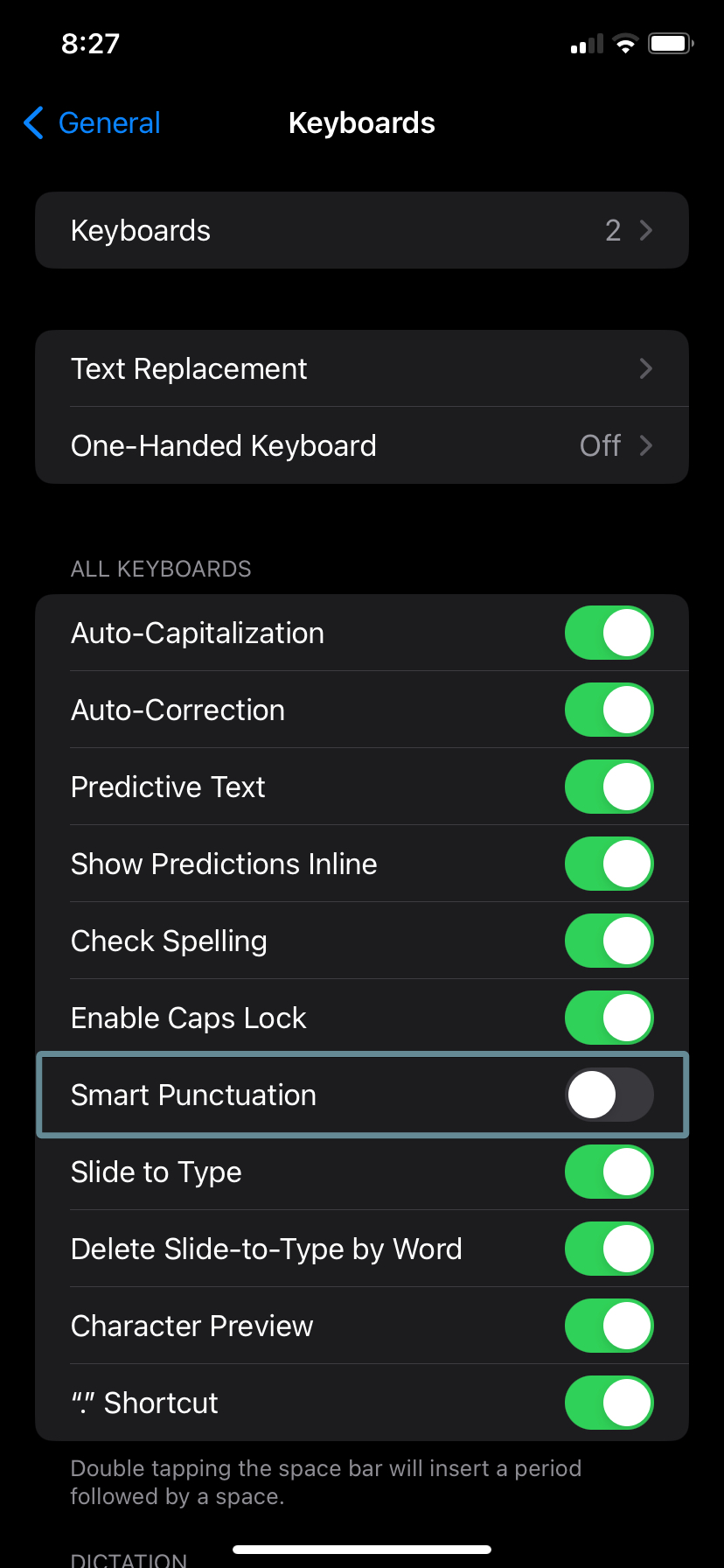
If bleed is responding with a different response for a flag than the one you specified, make sure you're using the correct `--` instead of `—`. **iOS** devices automatically convert two dashes into a single long dash, which can cause issues with commands that require flags.
You can solve this issue by disabling the **Smart Punctuation** feature on your **iOS** device. To do this, go to **Settings** -> **General** -> **Keyboard** and disable the **Smart Punctuation** option.