> ## Documentation Index
> Fetch the complete documentation index at: https://docs.bleed.bot/llms.txt
> Use this file to discover all available pages before exploring further.
# Starboard
> Allow members to repost interesting messages to a starboard channel.
## What is Starboard?
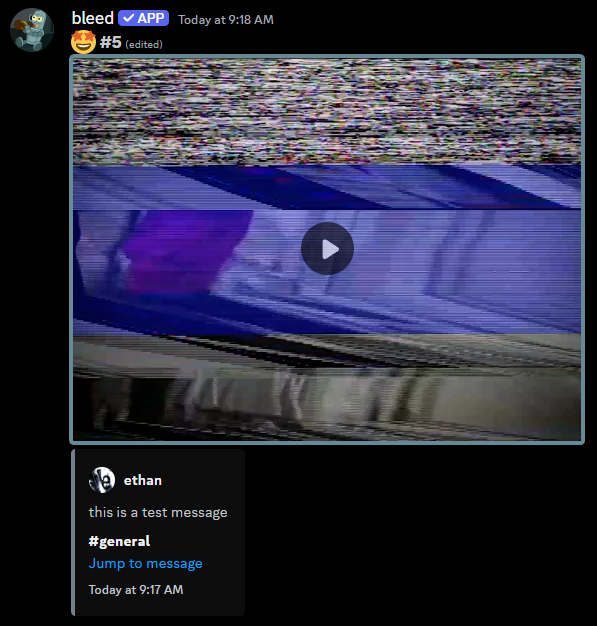
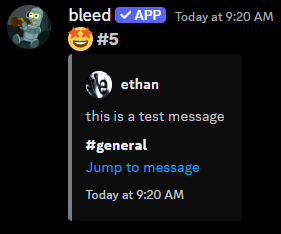
The starboard is a channel where members can react to messages and after a certain number of reactions, the message will be reposted to the starboard channel.
 You can create two starboards, both `starboard` and `clownboard` use the
same structure.
## Getting started
Before you run any commands, it's important to use the `starboard unlock` command. Otherwise,
messages will not be reposted to the starboard channel. You can use `starboard lock` to temporarily stop messages from being reposted.
## Setting the starboard channel
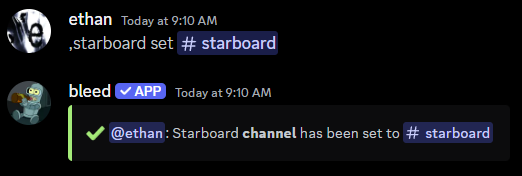
You can use the `starboard set` command to set which channel messages will be reposted to.
```javascript Syntax theme={null}
,starboard set (channel)
```
```javascript Example theme={null}
,starboard set #starboard
```
You can create two starboards, both `starboard` and `clownboard` use the
same structure.
## Getting started
Before you run any commands, it's important to use the `starboard unlock` command. Otherwise,
messages will not be reposted to the starboard channel. You can use `starboard lock` to temporarily stop messages from being reposted.
## Setting the starboard channel
You can use the `starboard set` command to set which channel messages will be reposted to.
```javascript Syntax theme={null}
,starboard set (channel)
```
```javascript Example theme={null}
,starboard set #starboard
```
 ## Ignoring channels, roles, or members
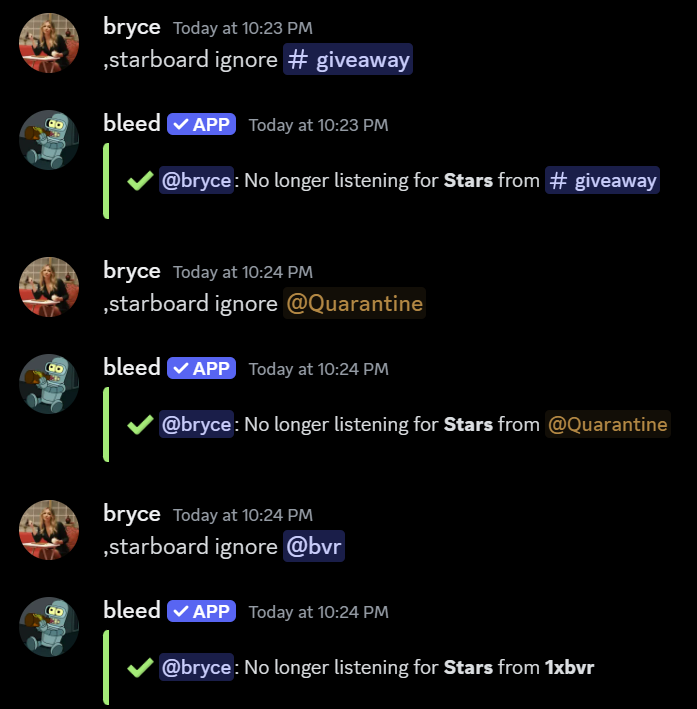
You can ignore certain channels, roles, or members within your server to prevent their messages from appearing on the starboard.
If you no longer want to ignore the channel, role, or member, you can re-run the command. Alternatively, you can run `starboard ignore list` to view all ignored channels, roles, and members.
```javascript Syntax theme={null}
,starboard ignore (role, member, or channel)
```
```javascript Examples theme={null}
,starboard ignore #giveaways
,starboard ignore @bryce
,starboard ignore @Member
```
## Ignoring channels, roles, or members
You can ignore certain channels, roles, or members within your server to prevent their messages from appearing on the starboard.
If you no longer want to ignore the channel, role, or member, you can re-run the command. Alternatively, you can run `starboard ignore list` to view all ignored channels, roles, and members.
```javascript Syntax theme={null}
,starboard ignore (role, member, or channel)
```
```javascript Examples theme={null}
,starboard ignore #giveaways
,starboard ignore @bryce
,starboard ignore @Member
```
 ## Customizing the starboard
### Changing the reaction threshold
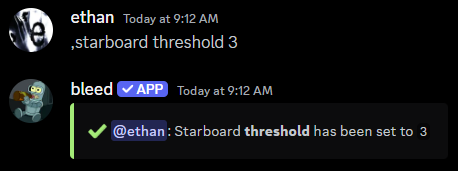
You can change the minimum number of reactions a message needs to be reposted.
```javascript Syntax theme={null}
,starboard threshold (amount)
```
```javascript Example theme={null}
,starboard threshold 3
```
## Customizing the starboard
### Changing the reaction threshold
You can change the minimum number of reactions a message needs to be reposted.
```javascript Syntax theme={null}
,starboard threshold (amount)
```
```javascript Example theme={null}
,starboard threshold 3
```
 ### Changing the emoji to watch for
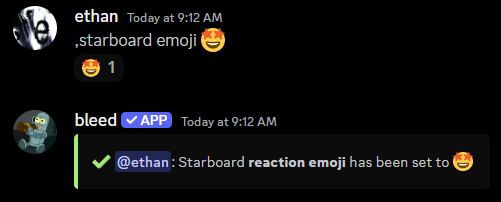
You can set the emoji that members need to react with for a message to be reposted.
By default, this emoji is set as `⭐` for the starboard and `🤡` for the
clownboard.
```javascript Syntax theme={null}
,starboard emoji (emoji)
```
```javascript Example theme={null}
,starboard emoji 🤩
```
### Changing the emoji to watch for
You can set the emoji that members need to react with for a message to be reposted.
By default, this emoji is set as `⭐` for the starboard and `🤡` for the
clownboard.
```javascript Syntax theme={null}
,starboard emoji (emoji)
```
```javascript Example theme={null}
,starboard emoji 🤩
```
 ### Allowing self-starring messages
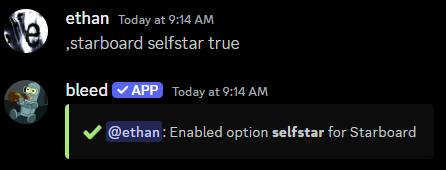
You can allow members to star their own messages with the `starboard selfstar` command.
```javascript Syntax theme={null}
,starboard selfstar (true or false)
```
```javascript Example theme={null}
,starboard selfstar true
```
### Allowing self-starring messages
You can allow members to star their own messages with the `starboard selfstar` command.
```javascript Syntax theme={null}
,starboard selfstar (true or false)
```
```javascript Example theme={null}
,starboard selfstar true
```
 ### Customizing the message displayed
You can customize the message that is sent to the starboard channel.
Use the `starboard color` command to change the color of the embed.
```javascript Syntax theme={null}
,starboard color (color)
```
```javascript Example theme={null}
,starboard color #cf7c08
,starboard color pink
```
Use the `starboard timestamp` command to toggle the timestamp in the embed.
```javascript Syntax theme={null}
,starboard timestamp (true or false)
```
```javascript Example theme={null}
,starboard timestamp false
```
### Customizing the message displayed
You can customize the message that is sent to the starboard channel.
Use the `starboard color` command to change the color of the embed.
```javascript Syntax theme={null}
,starboard color (color)
```
```javascript Example theme={null}
,starboard color #cf7c08
,starboard color pink
```
Use the `starboard timestamp` command to toggle the timestamp in the embed.
```javascript Syntax theme={null}
,starboard timestamp (true or false)
```
```javascript Example theme={null}
,starboard timestamp false
```
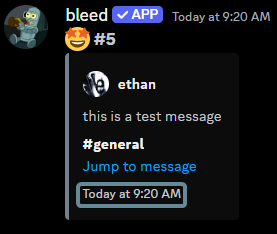 Use the `starboard jumpurl` command to toggle if the message jump URL is included.
```javascript Syntax theme={null}
,starboard jumpurl (true or false)
```
```javascript Example theme={null}
,starboard jumpurl false
```
Use the `starboard jumpurl` command to toggle if the message jump URL is included.
```javascript Syntax theme={null}
,starboard jumpurl (true or false)
```
```javascript Example theme={null}
,starboard jumpurl false
```
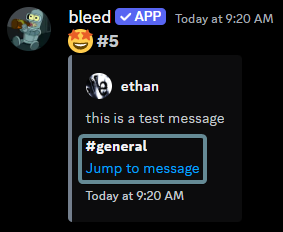 Use the `starboard attachments` command to toggle if attachments are included.
```javascript Syntax theme={null}
,starboard attachments (true or false)
```
```javascript Example theme={null}
,starboard attachments false
```
Use the `starboard attachments` command to toggle if attachments are included.
```javascript Syntax theme={null}
,starboard attachments (true or false)
```
```javascript Example theme={null}
,starboard attachments false
```