> ## Documentation Index
> Fetch the complete documentation index at: https://docs.bleed.bot/llms.txt
> Use this file to discover all available pages before exploring further.
# Fortnite
> Receive shop rotation updates and set reminders for cosmetics.
## Viewing information about a cosmetic
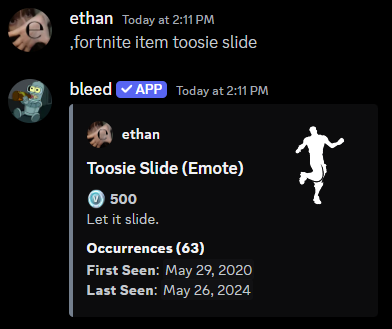
You can use the `fortnite item` command to view information about a cosmetic in Fortnite.
```javascript Syntax theme={null}
,fortnite item (cosmetic)
```
```javascript Example theme={null}
,fortnite item Toosie Slide
```
 ## Receiving reminders for cosmetics
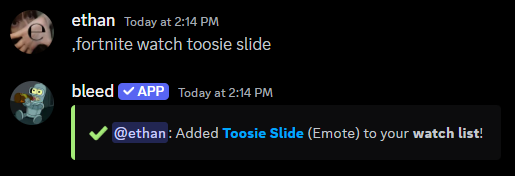
You can use the `fortnite watch` command to be notified when a cosmetic is in the shop.
If you no longer want to receive reminders for a cosmetic, you can re-run the command.
```javascript Syntax theme={null}
,fortnite watch (cosmetic)
```
```javascript Example theme={null}
,fortnite watch Toosie Slide
```
## Receiving reminders for cosmetics
You can use the `fortnite watch` command to be notified when a cosmetic is in the shop.
If you no longer want to receive reminders for a cosmetic, you can re-run the command.
```javascript Syntax theme={null}
,fortnite watch (cosmetic)
```
```javascript Example theme={null}
,fortnite watch Toosie Slide
```
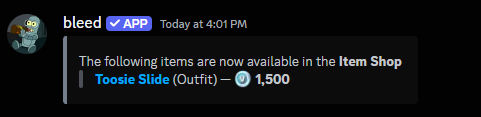
 When the cosmetic is available in the shop, you will receive a message in your DMs.
 ### Viewing what cosmetics you are watching
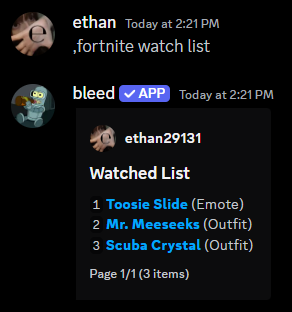
You can use the `fortnite watch list` command to view what cosmetics you are watching.
### Viewing what cosmetics you are watching
You can use the `fortnite watch list` command to view what cosmetics you are watching.
 ## Receiving shop rotation updates
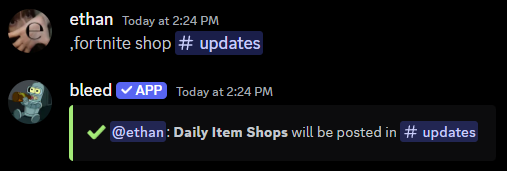
You can use the `fortnite shop` command to receive daily shop rotation updates.
If you no longer want to receive shop rotation updates, you can re-run the
command without a channel.
```javascript Syntax theme={null}
,fortnite shop (channel)
```
```javascript Example theme={null}
,fortnite shop #updates
```
## Receiving shop rotation updates
You can use the `fortnite shop` command to receive daily shop rotation updates.
If you no longer want to receive shop rotation updates, you can re-run the
command without a channel.
```javascript Syntax theme={null}
,fortnite shop (channel)
```
```javascript Example theme={null}
,fortnite shop #updates
```
 ### Notifying a role when the shop updates
You can use the `fortnite shop ping` command to notify a role when the shop updates.
```javascript Syntax theme={null}
,fortnite shop ping (role)
```
```javascript Example theme={null}
,fortnite shop ping @Updates
```
### Letting people vote on the shop
You can use the `fortnite shop voting` command to let people vote on the shop.
This will add an upvote & downvote reaction to the shop message.
```javascript Syntax theme={null}
,fortnite shop voting (on or off)
```
```javascript Example theme={null}
,fortnite shop voting on
```
### Notifying a role when the shop updates
You can use the `fortnite shop ping` command to notify a role when the shop updates.
```javascript Syntax theme={null}
,fortnite shop ping (role)
```
```javascript Example theme={null}
,fortnite shop ping @Updates
```
### Letting people vote on the shop
You can use the `fortnite shop voting` command to let people vote on the shop.
This will add an upvote & downvote reaction to the shop message.
```javascript Syntax theme={null}
,fortnite shop voting (on or off)
```
```javascript Example theme={null}
,fortnite shop voting on
```