> ## Documentation Index
> Fetch the complete documentation index at: https://docs.bleed.bot/llms.txt
> Use this file to discover all available pages before exploring further.
# Pagination
> Guide to paginating embeds with bleed.
## Setup
Only embeds created with `createembed` can be paginated.
Firstly you must set the embed to work with pagination. `,pagination set [message link]` 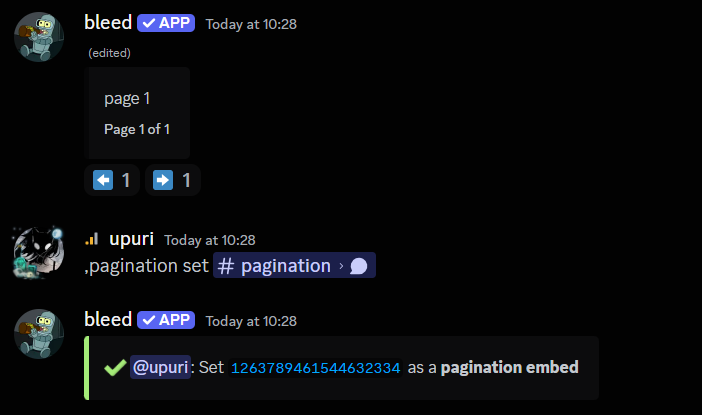 You can now add further pages to your embed. This command works with adding
any number of pages required. `,pagination add [message link] [embed
content]`
You can now add further pages to your embed. This command works with adding
any number of pages required. `,pagination add [message link] [embed
content]` 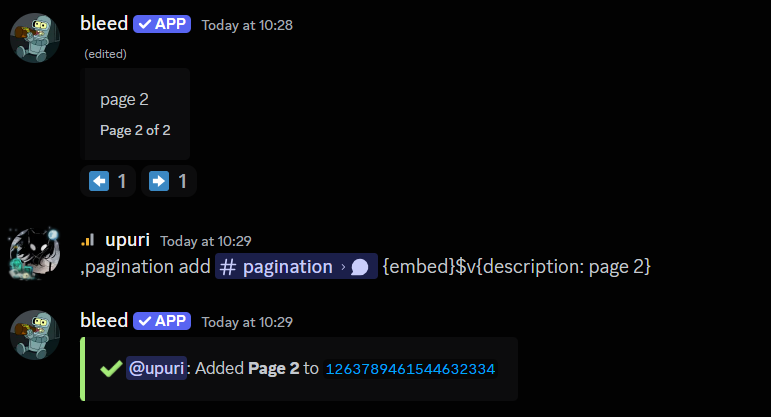 If you need to edit a page you've made during setup, you can use the command
below. `,pagination update [message link] [page number]`
If you need to edit a page you've made during setup, you can use the command
below. `,pagination update [message link] [page number]` 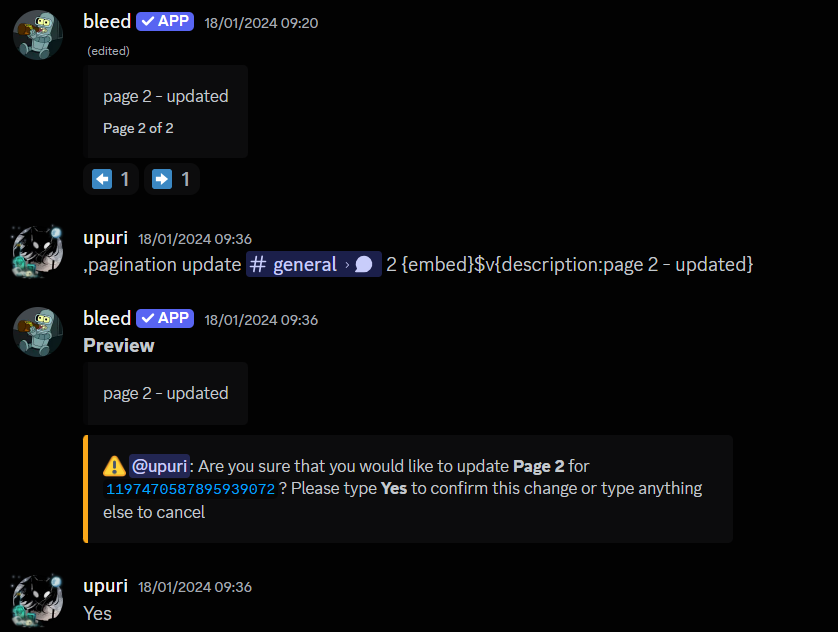 If you want to remove a page you have setup, you can use the below command
`,pagination remove [message link] [page number]`
If you want to remove a page you have setup, you can use the below command
`,pagination remove [message link] [page number]` 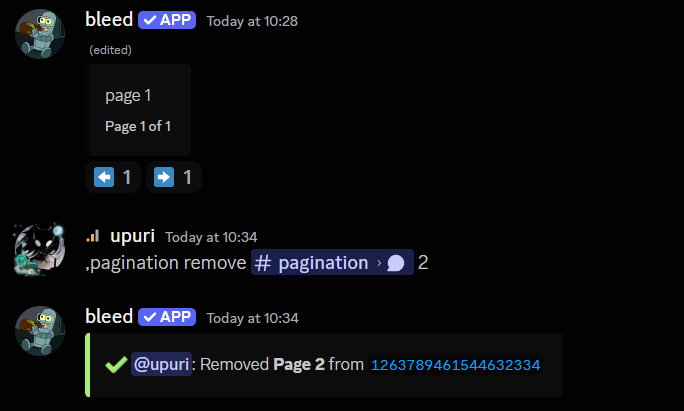 ## Related commands
```
,pagination delete [message link]
```
{" "}
`,pagination reset`
```
,pagination list
```
Use this command in case the arrow reactions allowing navigation between pages were deleted.
```
,pagination restorereactions (message link)
```
## Related commands
```
,pagination delete [message link]
```
{" "}
`,pagination reset`
```
,pagination list
```
Use this command in case the arrow reactions allowing navigation between pages were deleted.
```
,pagination restorereactions (message link)
```