> ## Documentation Index
> Fetch the complete documentation index at: https://docs.bleed.bot/llms.txt
> Use this file to discover all available pages before exploring further.
# Antinuke
> Impose restrictions on moderators to prevent destructive behavior.
## Why use an antinuke system?
It's important to have an antinuke system in place to prevent moderators from abusing their permissions. This is a security measure which lets your server stay safe from any harmful actions.
## How does the antinuke work?
The antinuke will set a limit on the number of actions a moderator can perform in a certain time frame. If the limit is exceeded, the moderator will be punished and a message will be sent to the owner.
## Configuring the antinuke
Discord recently implemented a new **mass ban** feature which can quickly ban
**100+ members**. It's **HIGHLY** recommended to utilize [fake
permissions](/security/fake-permissions) to prevent moderators from using this
feature.
### Allowing users to configure the antinuke
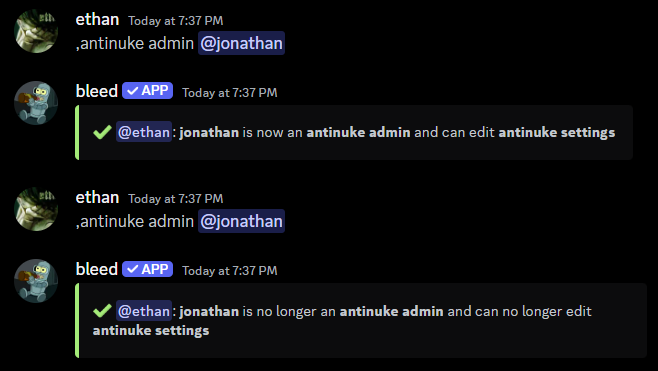
Initially, only the **server owner** can configure the antinuke. However, you can allow other users to configure the antinuke with the `antinuke admin` command.
This is a dangerous command and will allow the user to entirely alter the
antinuke configuration.
```javascript Syntax theme={null}
,antinuke admin (user)
```
```javascript Example theme={null}
,antinuke admin @jonathan
```
 ### Exempting users from the antinuke
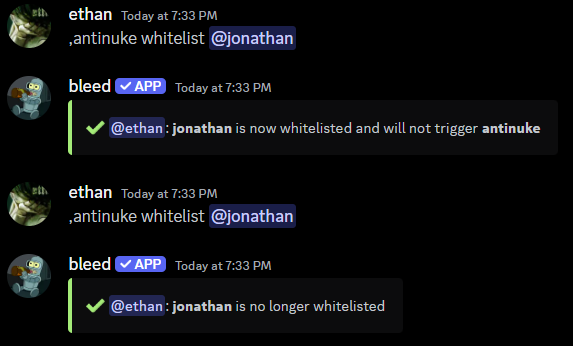
You can exempt users from the antinuke with the `antinuke whitelist` command.
This is a dangerous command and will allow the user to bypass the antinuke
entirely.
```javascript Syntax theme={null}
,antinuke whitelist (user)
```
```javascript Example theme={null}
,antinuke whitelist @jonathan
```
### Exempting users from the antinuke
You can exempt users from the antinuke with the `antinuke whitelist` command.
This is a dangerous command and will allow the user to bypass the antinuke
entirely.
```javascript Syntax theme={null}
,antinuke whitelist (user)
```
```javascript Example theme={null}
,antinuke whitelist @jonathan
```
 ## Enabling an antinuke module
### Available Flags
The following flags can be used to define the antinuke module
The threshold is the number of actions a moderator can perform before being punished.
It's recommended to keep the threshold between `1` and `6` to stay safe.
```javascript Syntax theme={null}
--threshold (number)
```
```javascript Example theme={null}
--threshold 3
```
The punishment which will be applied to the moderator.
Available punishments can be found in the [punishments](/resources/syntax#flag-punishments) section.
```javascript Syntax theme={null}
--do (punishment)
```
```javascript Example theme={null}
--do ban
```
Whether bleed commands should be counted towards the threshold. (e.g. `,ban`)
```javascript Syntax theme={null}
--command (on | off)
```
```javascript Example theme={null}
--command on
```
### Available Modules
You can prevent members from changing the vanity URL with the following command
bleed can not change the vanity URL back to the original due to Discord limitations.
```javascript Syntax theme={null}
,antinuke vanity (on or off) [--do (punishment)]
```
```javascript Example theme={null}
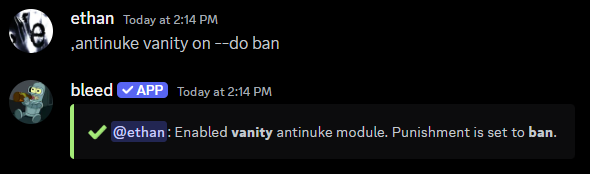
,antinuke vanity on --do ban
```
## Enabling an antinuke module
### Available Flags
The following flags can be used to define the antinuke module
The threshold is the number of actions a moderator can perform before being punished.
It's recommended to keep the threshold between `1` and `6` to stay safe.
```javascript Syntax theme={null}
--threshold (number)
```
```javascript Example theme={null}
--threshold 3
```
The punishment which will be applied to the moderator.
Available punishments can be found in the [punishments](/resources/syntax#flag-punishments) section.
```javascript Syntax theme={null}
--do (punishment)
```
```javascript Example theme={null}
--do ban
```
Whether bleed commands should be counted towards the threshold. (e.g. `,ban`)
```javascript Syntax theme={null}
--command (on | off)
```
```javascript Example theme={null}
--command on
```
### Available Modules
You can prevent members from changing the vanity URL with the following command
bleed can not change the vanity URL back to the original due to Discord limitations.
```javascript Syntax theme={null}
,antinuke vanity (on or off) [--do (punishment)]
```
```javascript Example theme={null}
,antinuke vanity on --do ban
```
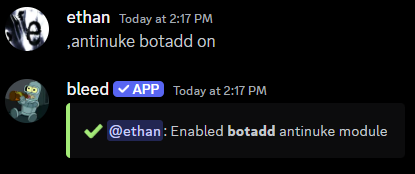
 You can prevent bots from being mass added with the following command
You'll need to use `antinuke whitelist (bot ID)` to invite bots.
```javascript Syntax theme={null}
,antinuke botadd (on or off)
```
```javascript Example theme={null}
,antinuke botadd on
```
You can prevent bots from being mass added with the following command
You'll need to use `antinuke whitelist (bot ID)` to invite bots.
```javascript Syntax theme={null}
,antinuke botadd (on or off)
```
```javascript Example theme={null}
,antinuke botadd on
```
 You can prevent members from being mass banned with the following command
It's recommended to include the `--command on` flag.
```javascript Syntax theme={null}
,antinuke ban (on or off) [--threshold (number)] [--do (punishment)] [--command (on | off)]
```
```javascript Example theme={null}
,antinuke ban on --threshold 3 --do ban --command on
```
You can prevent members from being mass banned with the following command
It's recommended to include the `--command on` flag.
```javascript Syntax theme={null}
,antinuke ban (on or off) [--threshold (number)] [--do (punishment)] [--command (on | off)]
```
```javascript Example theme={null}
,antinuke ban on --threshold 3 --do ban --command on
```
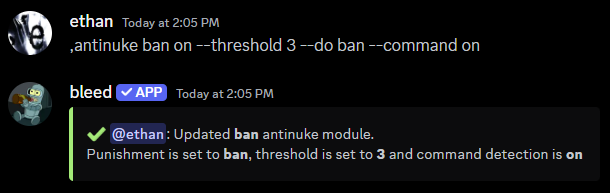 You can prevent members from being mass kicked with the following command
It's recommended to include the `--command on` flag.
```javascript Syntax theme={null}
,antinuke kick (on or off) [--threshold (number)] [--do (punishment)] [--command (on | off)]
```
```javascript Example theme={null}
,antinuke kick on --threshold 3 --do ban --command on
```
You can prevent members from being mass kicked with the following command
It's recommended to include the `--command on` flag.
```javascript Syntax theme={null}
,antinuke kick (on or off) [--threshold (number)] [--do (punishment)] [--command (on | off)]
```
```javascript Example theme={null}
,antinuke kick on --threshold 3 --do ban --command on
```
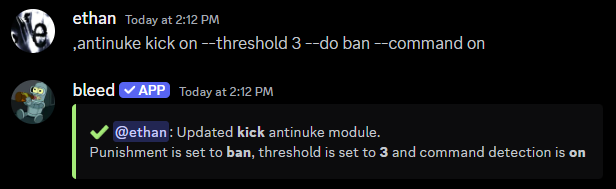 You can prevent roles from being mass deleted with the following command
It's recommended to include the `--command on` flag.
```javascript Syntax theme={null}
,antinuke role (on or off) [--threshold (number)] [--do (punishment)] [--command (on | off)]
```
```javascript Example theme={null}
,antinuke role on --threshold 3 --do ban --command on
```
You can prevent roles from being mass deleted with the following command
It's recommended to include the `--command on` flag.
```javascript Syntax theme={null}
,antinuke role (on or off) [--threshold (number)] [--do (punishment)] [--command (on | off)]
```
```javascript Example theme={null}
,antinuke role on --threshold 3 --do ban --command on
```
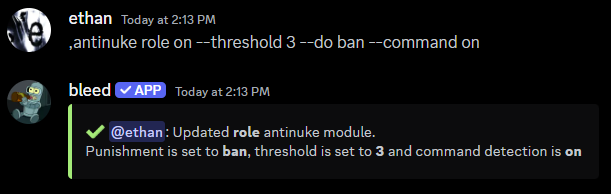 You can prevent channels from being mass created or deleted with the following command
```javascript Syntax theme={null}
,antinuke channel (on or off) [--threshold (number)] [--do (punishment)]
```
```javascript Example theme={null}
,antinuke channel on --threshold 3 --do ban
```
You can prevent channels from being mass created or deleted with the following command
```javascript Syntax theme={null}
,antinuke channel (on or off) [--threshold (number)] [--do (punishment)]
```
```javascript Example theme={null}
,antinuke channel on --threshold 3 --do ban
```
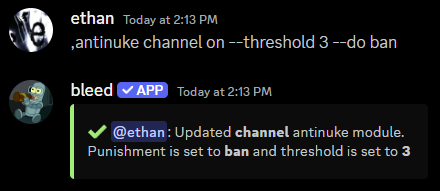 You can prevent emojis from being mass deleted with the following command
```javascript Syntax theme={null}
,antinuke emoji (on or off) [--threshold (number)] [--do (punishment)]
```
```javascript Example theme={null}
,antinuke emoji on --threshold 3 --do ban
```
You can prevent emojis from being mass deleted with the following command
```javascript Syntax theme={null}
,antinuke emoji (on or off) [--threshold (number)] [--do (punishment)]
```
```javascript Example theme={null}
,antinuke emoji on --threshold 3 --do ban
```
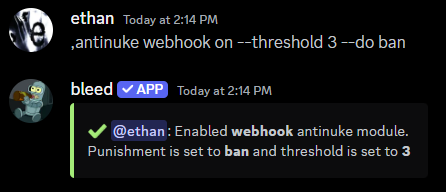
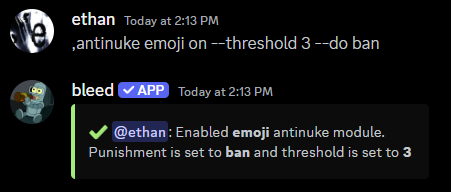 You can prevent webhooks from being mass created with the following command
```javascript Syntax theme={null}
,antinuke webhook (on or off) [--threshold (number)] [--do (punishment)]
```
```javascript Example theme={null}
,antinuke webhook on --threshold 3 --do ban
```
You can prevent webhooks from being mass created with the following command
```javascript Syntax theme={null}
,antinuke webhook (on or off) [--threshold (number)] [--do (punishment)]
```
```javascript Example theme={null}
,antinuke webhook on --threshold 3 --do ban
```
 ## Disabling an antinuke module
You can disable an antinuke module with the same command you used to enable it, but with the status set to `off`.
## Viewing the antinuke configuration
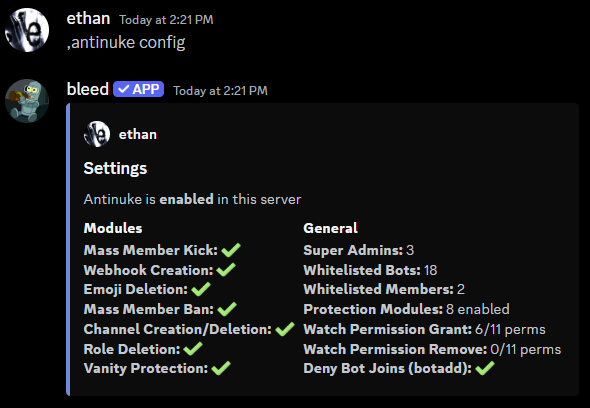
You can use the `antinuke config` command to view the current antinuke configuration.
## Disabling an antinuke module
You can disable an antinuke module with the same command you used to enable it, but with the status set to `off`.
## Viewing the antinuke configuration
You can use the `antinuke config` command to view the current antinuke configuration.
 ### Viewing the modules & whitelist
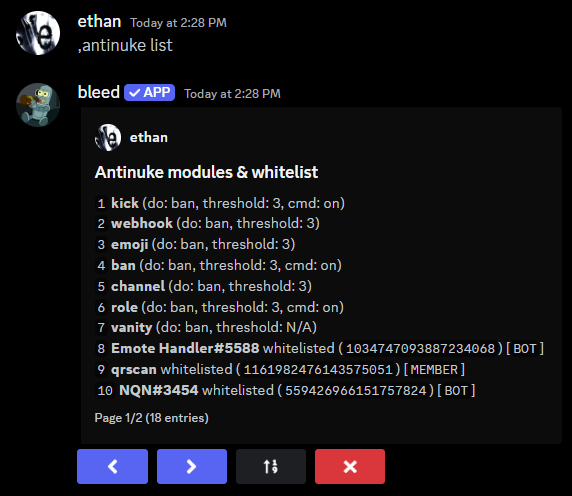
You can use the `antinuke list` command to view the enabled modules and whitelisted users.
### Viewing the modules & whitelist
You can use the `antinuke list` command to view the enabled modules and whitelisted users.
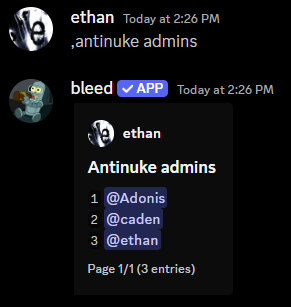
 ### Viewing users with antinuke admin
You can use the `antinuke admins` command to view users which can configure the antinuke.
### Viewing users with antinuke admin
You can use the `antinuke admins` command to view users which can configure the antinuke.
 ### Permissions available for `antinuke permissions (grant or remove)`
| Antinuke Permissions |
| -------------------- |
| `administrator` |
| `ban_members` |
| `mention_everyone` |
| `kick_members` |
| `moderate_members` |
| `manage_guild` |
| `manage_channels` |
| `manage_roles` |
| `view_audit_log` |
| `manage_webhooks` |
| `manage_expressions` |
| `manage_nicknames` |
### Permissions available for `antinuke permissions (grant or remove)`
| Antinuke Permissions |
| -------------------- |
| `administrator` |
| `ban_members` |
| `mention_everyone` |
| `kick_members` |
| `moderate_members` |
| `manage_guild` |
| `manage_channels` |
| `manage_roles` |
| `view_audit_log` |
| `manage_webhooks` |
| `manage_expressions` |
| `manage_nicknames` |