
Text Channel Permissions
Usually, if members are still able to send messages in a text channel after being muted, it is likely because of the@everyone channel permissions being set incorrectly.
1
Set the channel permissions
Go to your channel settings, and navigate to the Permissions tab.
Find the 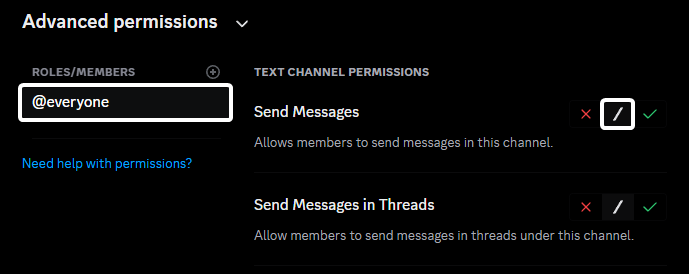
@everyone or member role and ensure that the Send Messages permission is set to Neutral (/).2
Check server wide role permissions
Go to your server settings, and navigate to the Roles tab.
Find the 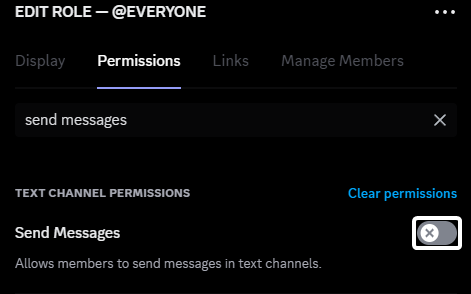
@everyone or member role and ensure that the Send Messages permission isn’t enabled.3
Check for role overrides
Check if there are any roles that have permission overrides for the channel in question. If a role has the Send Messages permission enabled, it will override the
@everyone permissions and allow members to send messages.Lockdown Command
If you have a custom member role instead of the default@everyone role, make sure that the lockdown command is set to restrict that role instead of the @everyone role.