
What are confessions?
Confessions are anonymous messages that members can post to a confessions channel using the/confess command. Each confession is posted by bleed with a number, such as Confession #12, and staff are never able to see who wrote it.
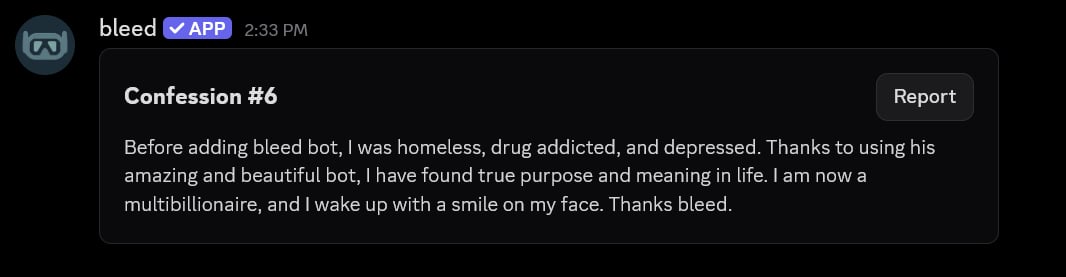
Confessions are only available via slash commands.
Getting started
Use/confessions config to view the current configuration of confessions. The buttons on this message
allow you to change the configuration of confessions, as these settings cannot be changed with commands.
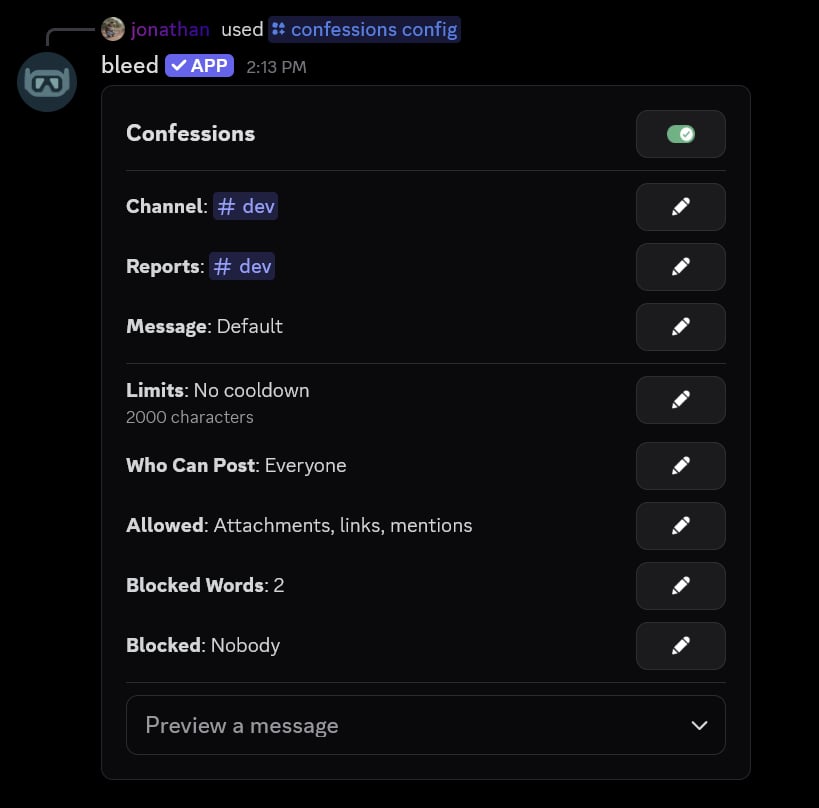
/confess command will not work. Confessions are disabled by default.
Setting the confession channel
You can use the Channel button to set which channel confessions will be posted to.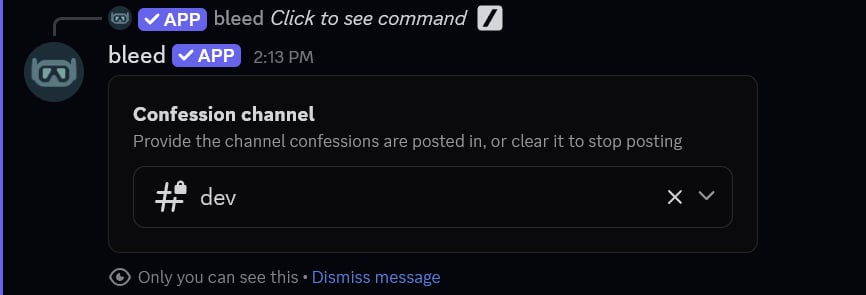
Posting a confession
Members can post a confession using the/confess command. This command will open a Discord modal where they can enter their confession and attach an image, if attachments are allowed.
The
/confess command can also be used in direct messages with bleed. The server parameter will show the servers you share with bleed that have confessions enabled.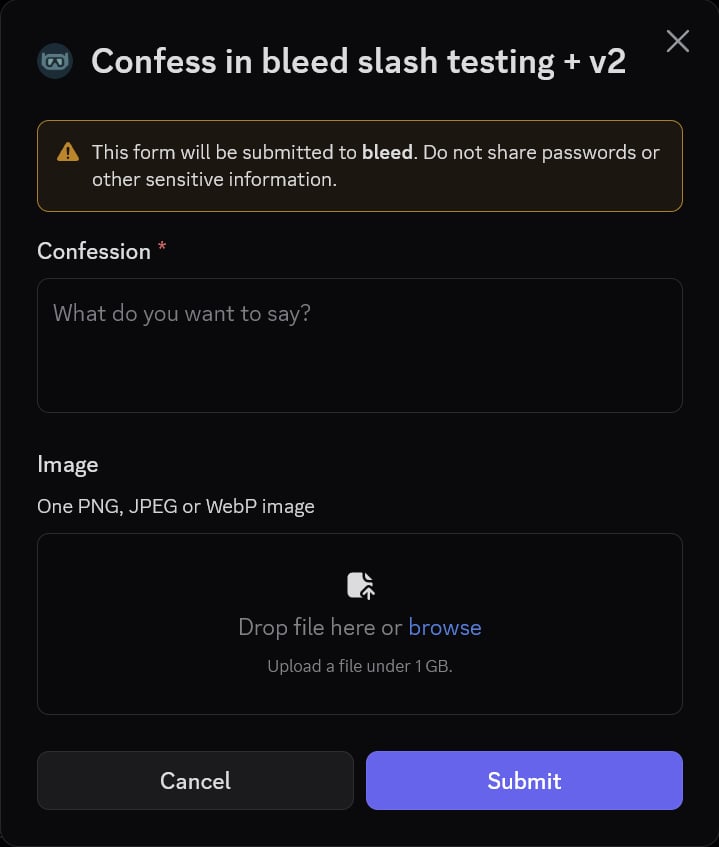
Blocking members
You can block a member from posting confessions using the/confessions block command. You can also block the author of a confession by using its number, without revealing who they are.
If you no longer want to block the member, you can use the
/confessions unblock command. Alternatively, you can use the Blocked button on the /confessions config message to view and unblock members.
Customizing confessions
Setting the reports channel
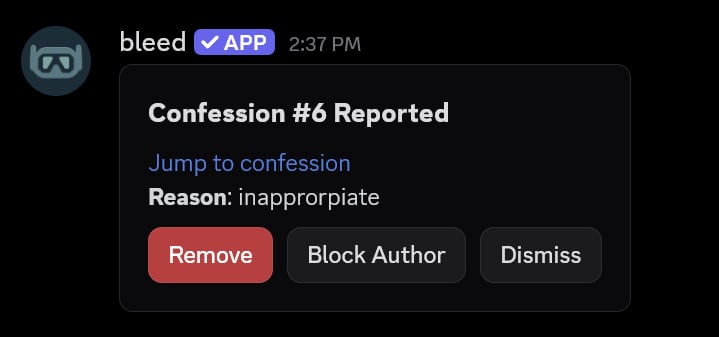
You can use the Reports button to set a channel where reported confessions will be sent. Once a reports channel is set, every confession will have a Report button, where members can optionally give a reason.When a confession is reported, staff can use the Remove, Block Author or Dismiss buttons on the report.
Changing the limits
You can use the Limits button to change the cooldown between confessions and the maximum length of a confession.By default, the cooldown is 5 minutes and the maximum length is 2,000 characters.
Restricting who can post
You can use the Who Can Post button to require a role, a minimum account age, or a minimum amount of time spent in the server.If you set more than one role, members will only need one of them.
Allowing attachments, links and mentions
You can use the Allowed button to toggle if attachments, links and mentions are allowed in confessions. All three are disabled by default.Blocking words
You can use the Blocked Words button to block words and phrases from confessions. Enter one word or phrase on each line.Customizing the message displayed
You can use the Message button to customize the message that is sent to the confessions channel.The message can be raw text, components or embeds. If you no longer want a custom message, you can leave it empty to reset it.
Viewing the variables
Viewing the variables
The following variables can be used in the message.
Viewing the default message
Viewing the default message
The default message uses the following script.
Deleting a confession
You can use the/confessions delete command to delete a confession by its number.