
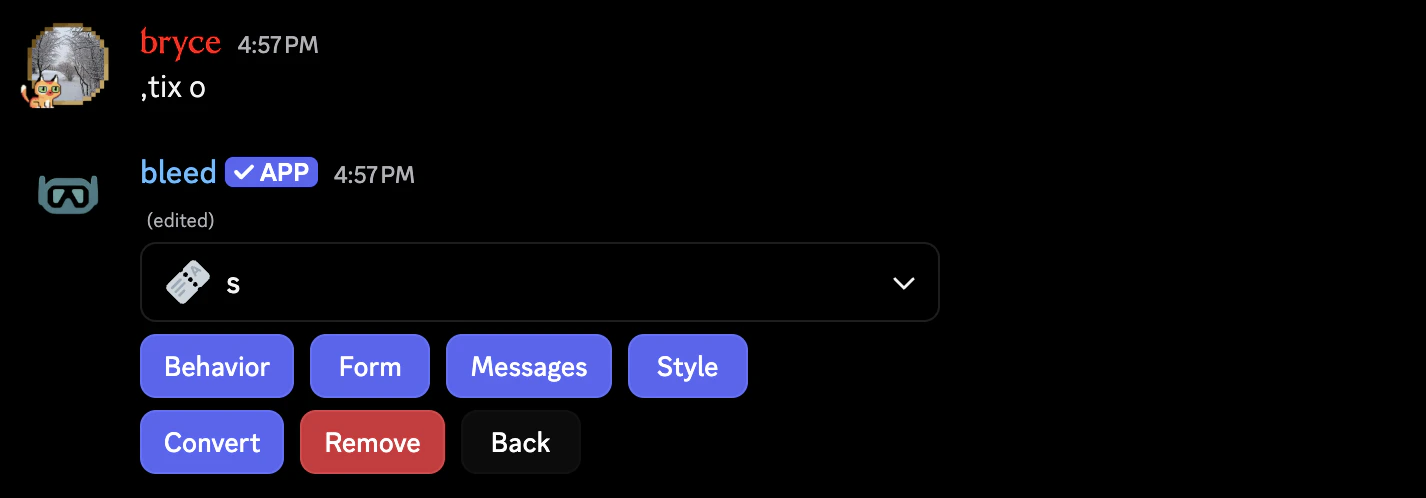
Viewing a single ticket option's configuration.
Behavior
The Behavior category is the deepest one, controlling exactly how the ticket acts and looks. It consists of Button UX, Categories, Naming, and Permissions.Button UX
Each action has its own editor:Claim, Close, Reopen, and Delete. Each allow you to configure:
- The button label
- The button emoji
- The button color
- Whether the action requires a reason popup
The
Delete action will always maintain its safety confirmation step even if the reason popup is explicitly disabled, strictly to prevent accidental irreversible destruction.Categories
- Category: Per-option category override (falls back to panel categories if not set).
- Claim Category: Per-option category override applied when the ticket is claimed.
- Close Category: Per-option category override applied when the ticket is closed.
Naming
- Channel Name Format: Per-option override for panel channel naming format.
- Claim Rename Template: Optional rename template applied when the ticket is claimed.
- Close Rename Template: Optional rename template applied when the ticket is closed.
Permissions
Option permissions are broken into three distinct groups:- Member
- Support
- Trainees
Controls basic user access.
- Required Roles: Only members with these roles can open tickets from this option. If left empty, any member can open a ticket.
- Require All Roles: Requires every selected role (instead of just any one).
- Ticket Creator Can Close: Controls whether the ticket creator can close tickets.
- Close On Leave: Automatically closes tickets if the ticket creator leaves the server. This uses the normal close flow and the documented reason will be
"Ticket creator left the server".
Form
Attach an optional intake form prior to ticket creation.For full details on how to create forms, visit the forms guide.
Messages and Automations
Messages dictate the literal output text at different points in the ticket workflow. You can easily utilize context variables inside of these.Greeting
Greeting
- Greeting Message: message sent into the newly opened ticket
- Greeting DM Optional: DM version of the greeting
Claim / Move
Claim / Move
- Claim Message: message sent when the ticket is claimed
- Move Message: message sent when the ticket is migrated to another option
Close / Reopen
Close / Reopen
- Close Message: message sent when the ticket is closed
- Close DM Optional: DM version of the close message
- Reopen Message: message sent when the ticket is reopened
- Reopen DM Optional: DM version of the reopen message
Automations
Automations
- Auto-Close Message: optional message sent when this option closes a ticket automatically
- Auto-Close Timer: optional per-option timer that closes tickets after author inactivity (set it between
1mand30d) - Auto-Delete Message: optional message sent when this option automatically deletes a closed ticket
- Auto-Delete Timer: optional per-option timer that deletes closed ticket channels automatically. Set it to
0sif you want the ticket to delete immediately after it is closed. Reopening or manually deleting the ticket clears that pending auto-delete - Inactivity Message: reminder sent when the creator has gone quiet for too long
- Inactivity Timer: how long to wait before sending the inactivity reminder
Required Roles
Required Roles
- Required Roles Message: denial message shown when a member fails this option’s required-role check (edited from the option’s
Messagessection)
Style
Determines visual differences based on the parent panel type. Both allow you to configure the:- Label: The label shown on the button or dropdown.
- Emoji: The emoji shown on the button or dropdown.
- Availability: Whether the option is disabled or not.
- Button Style: The style/color of the button.
- Description: Extra text shown under the dropdown label for more context.