
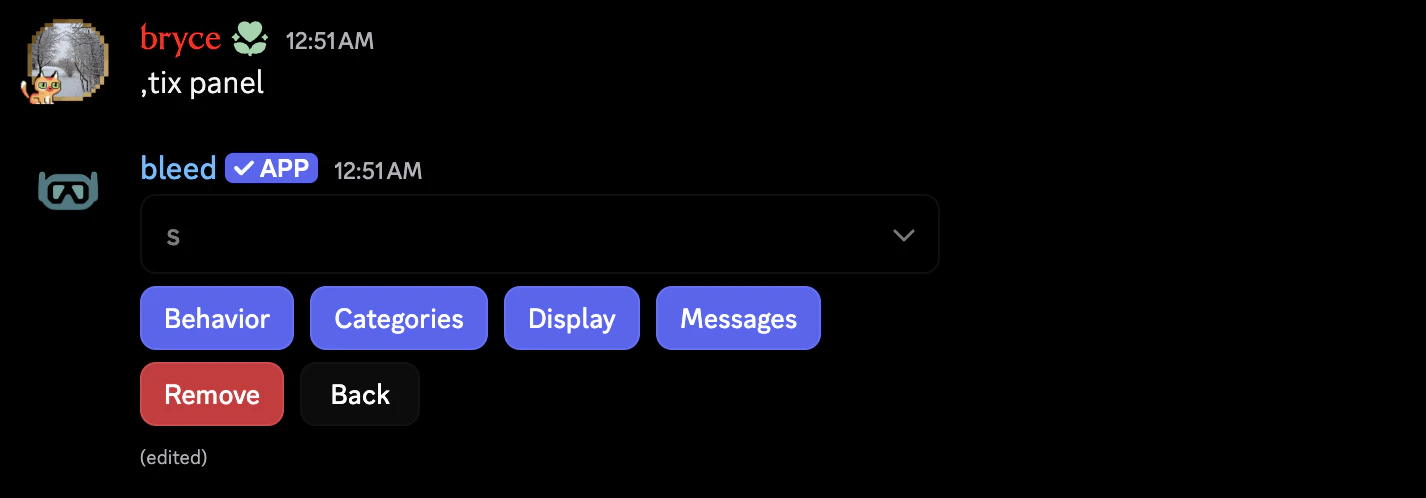
An example of the panel options menu.
Panel Configuration Options
Behavior
Behavior
- Delete Delay: How long a deleted ticket waits before its channel is actually removed from the server. Set it to
0sif you want deletion to happen immediately. - Maximum Open Tickets: How many concurrent tickets a single member may have open on this specific panel at once.
- Auto-Pin Controls: Automatically pins the ticket control message in the created ticket.
- Claims Enabled: Panel-wide toggle controlling whether staff can claim tickets.
Categories
Categories
- Default Category: The primary category that dictates where tickets are spawned.
- Overflow Category: A fallback category used seamlessly if the default category is full (due to Discord channel limits) or unavailable.
Display
Display
- Channel Name Format: Dictates how ticket channels are named. Built-in options include generating by Case Number, Username, or through a Custom Template.
- Case Padding: Pads your case numbers (for example, padding set to
3causes case7to be generated as007). - Dropdown Placeholder: Only shown and utilized when the panel is in “Dropdown” mode.
- Tickets Mode: Switch visually between
buttonordropdownoperation. Each panel keeps saved options for both modes.
Messages
Messages
- Panel Message: The main public message members interact with to open tickets. It supports large custom embeds and internal variables.
- Log Message: The custom log template used when logging ticket closures or deletions to your set log channel.
- Auto-Delete Message: An optional custom template sent exclusively when a closed ticket is scheduled for automatic deletion (only used when
Auto-Delete After Closeis toggled on).